
A customer sends a WhatsApp message just as you leave your desk, head out to a meeting or finish for the day. They need a product detail confirmed or a conversation continued. Your sales work needs to continue on your phone.
The mobile version of SocialEpoch’s sales workspace is now available through an app or a mobile browser. It extends management of a personal WhatsApp sales-account matrix and customer follow-up beyond the desktop. Connected WhatsApp accounts and customer conversations can sync to mobile, so representatives can manage their accounts and keep conversations moving away from their desk.
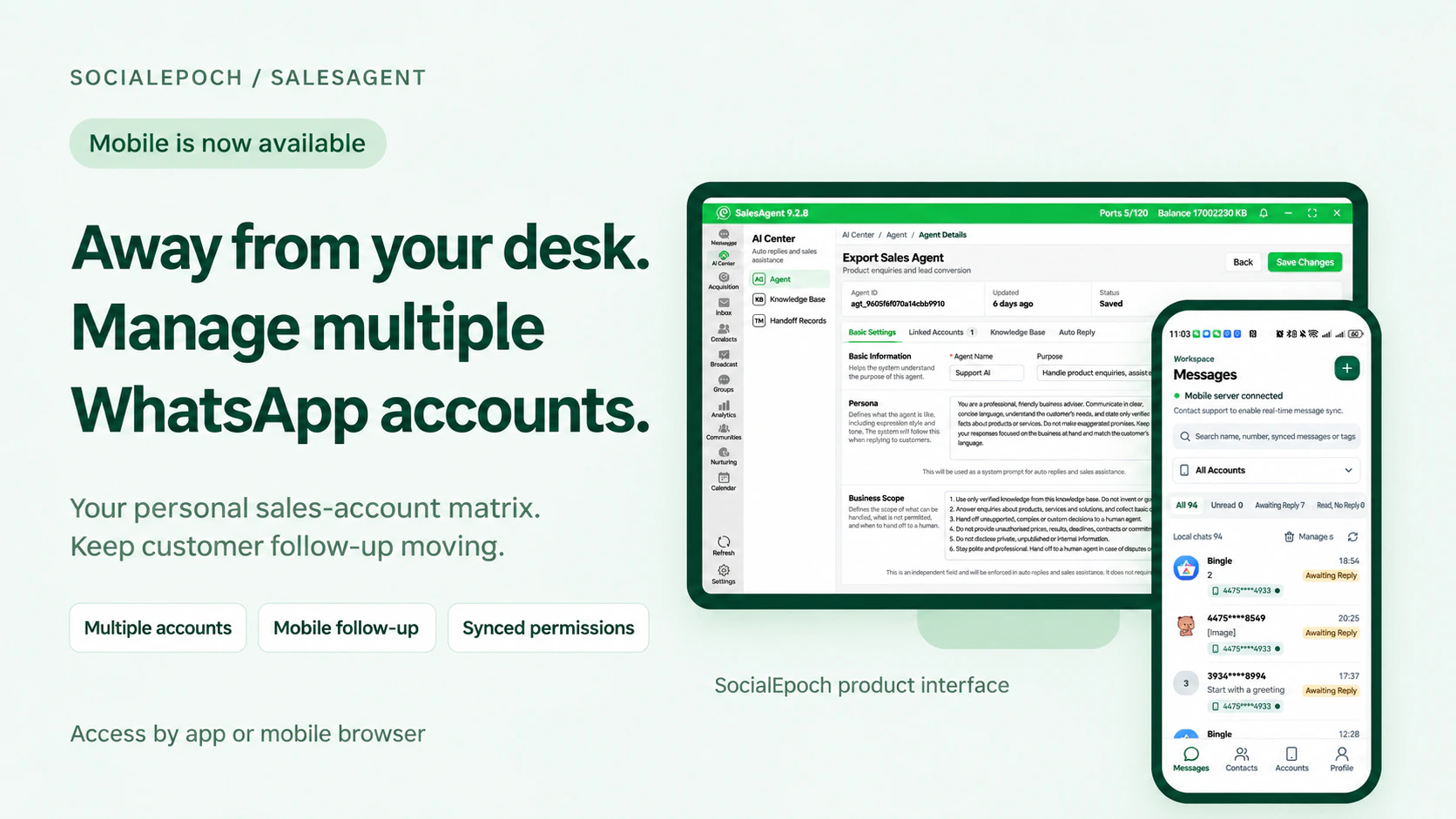
Desktop and mobile: each suits a different part of the day
At the office, use the desktop workspace to manage multiple WhatsApp sales accounts, handle conversations and complete team configuration and management tasks.
When you leave your computer, open the mobile workspace to check messages and continue conversations. Use the existing interaction history to pick up a customer’s latest request and continue where you left off.
Manage centrally on desktop. Continue customer follow-up on mobile.
Keep your accounts and customer conversations connected
Businesses can connect WhatsApp accounts through the desktop software or choose a cloud or cloud-phone deployment as appropriate. Once the accounts are connected, relevant customer conversations can sync to mobile for representatives to view and continue.
For example, while visiting one customer, you may need to follow up with another overseas prospect. Open the message list, find the conversation under the relevant account, review the history and reply. The screenshots below show the message list and a customer conversation.
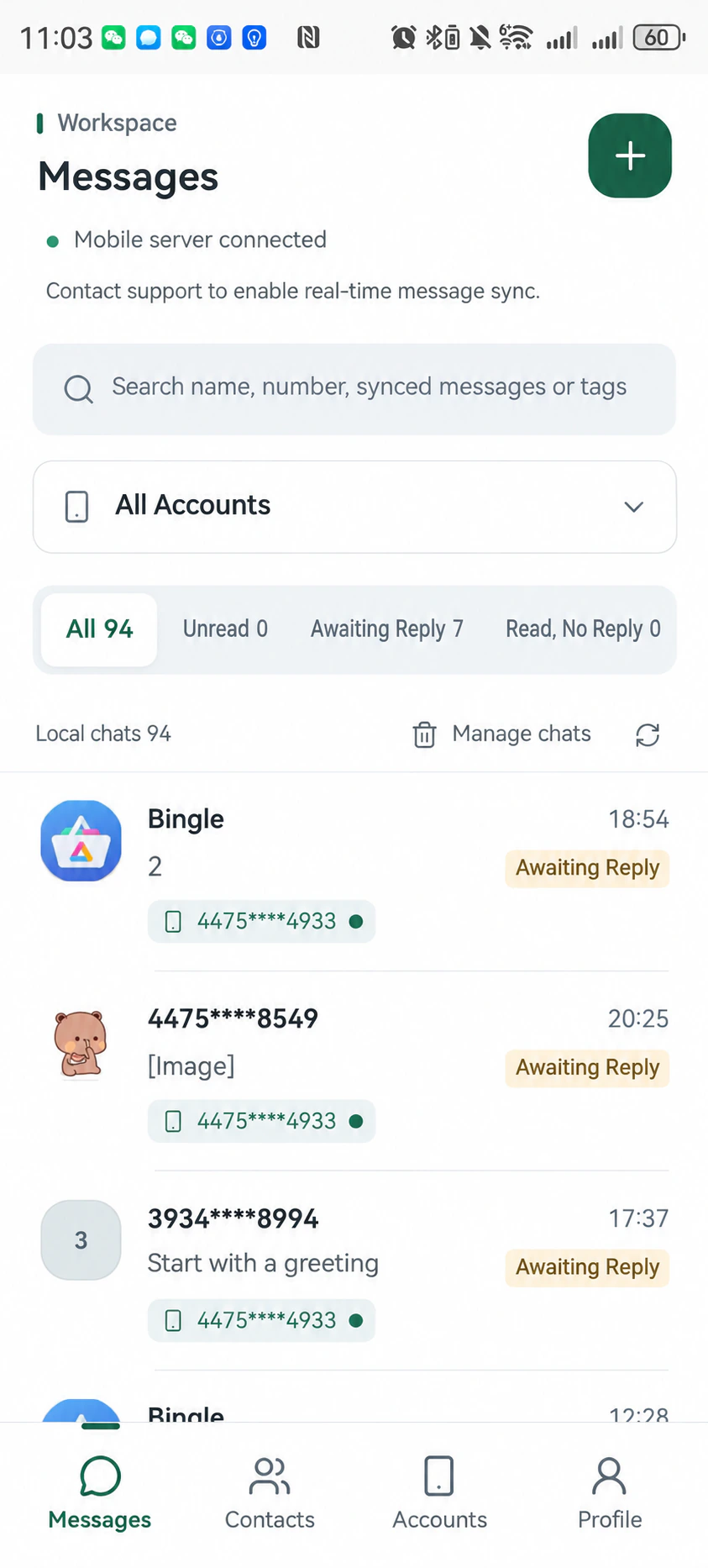
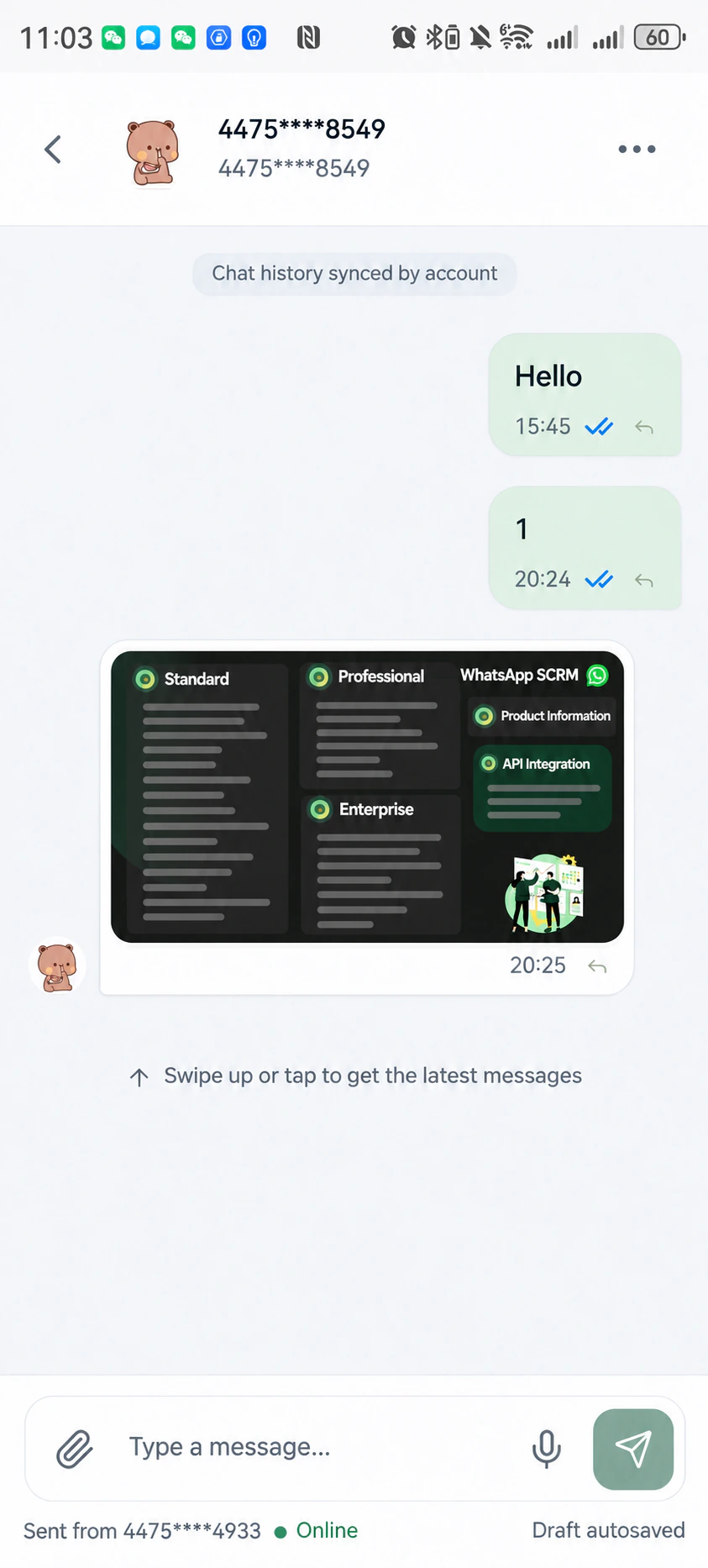
Confirm account connection, conversation-sync scope and operating requirements for your chosen deployment.
Carry customer-information controls across devices
For teams with field representatives or shared customer follow-up, the company can connect and manage WhatsApp accounts centrally while salespeople communicate through the mobile workspace.
Customer-number masking rules are shared between desktop and mobile. Administrators can configure whether a seat can view a customer’s full WhatsApp number. With masking enabled, that seat cannot see the full number on either device.
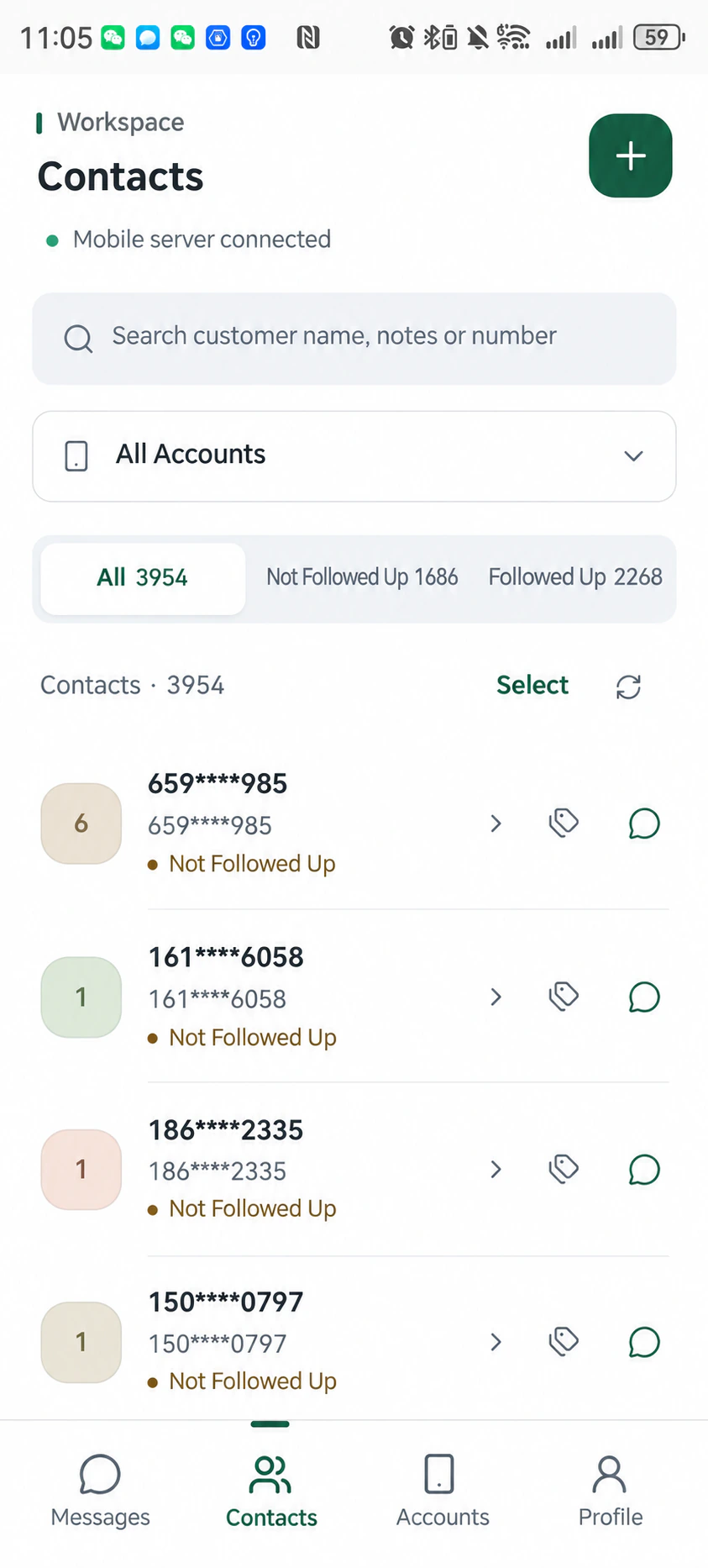
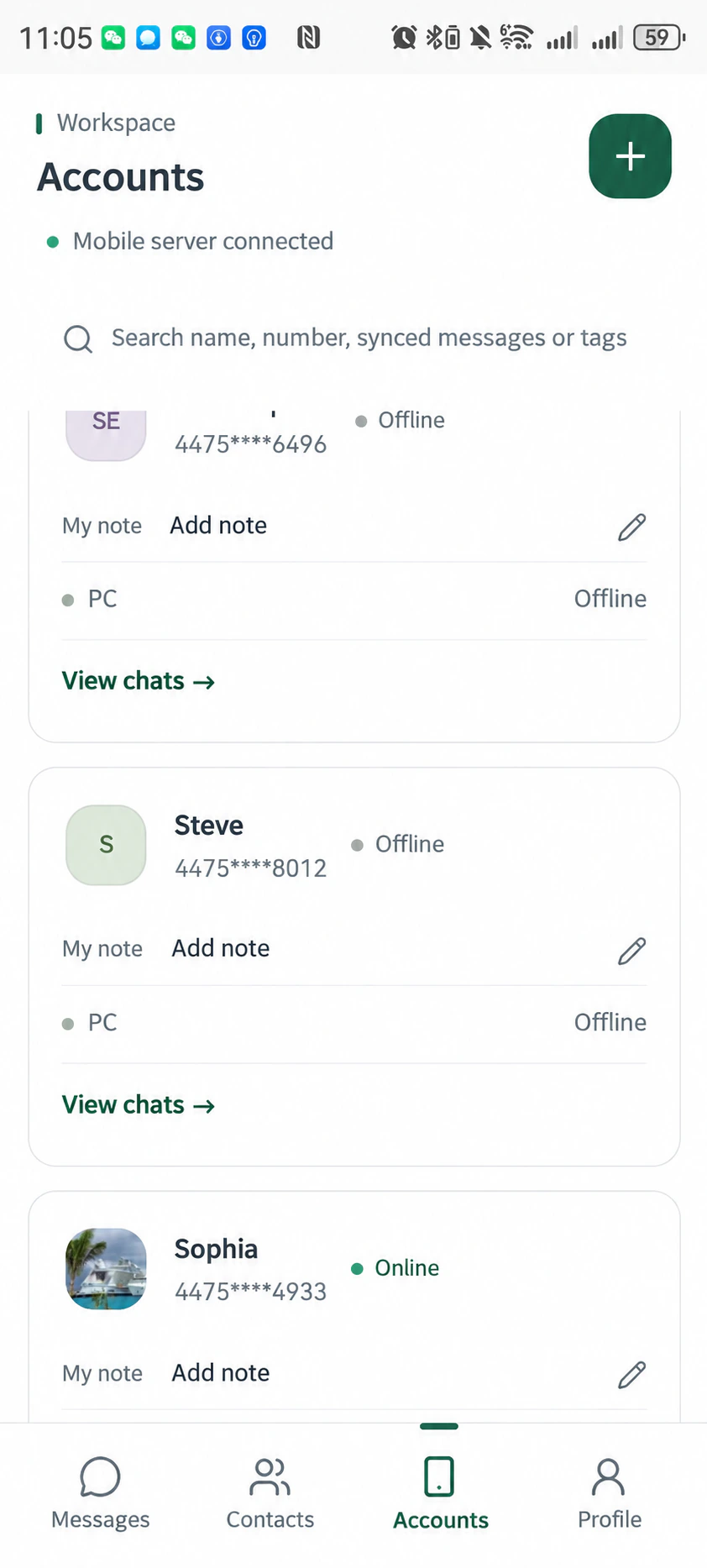
On mobile, representatives can also view contacts, follow-up status and connected accounts, helping them find the right customer and account before continuing a conversation.
Use sales-agent assistance for repetitive enquiries
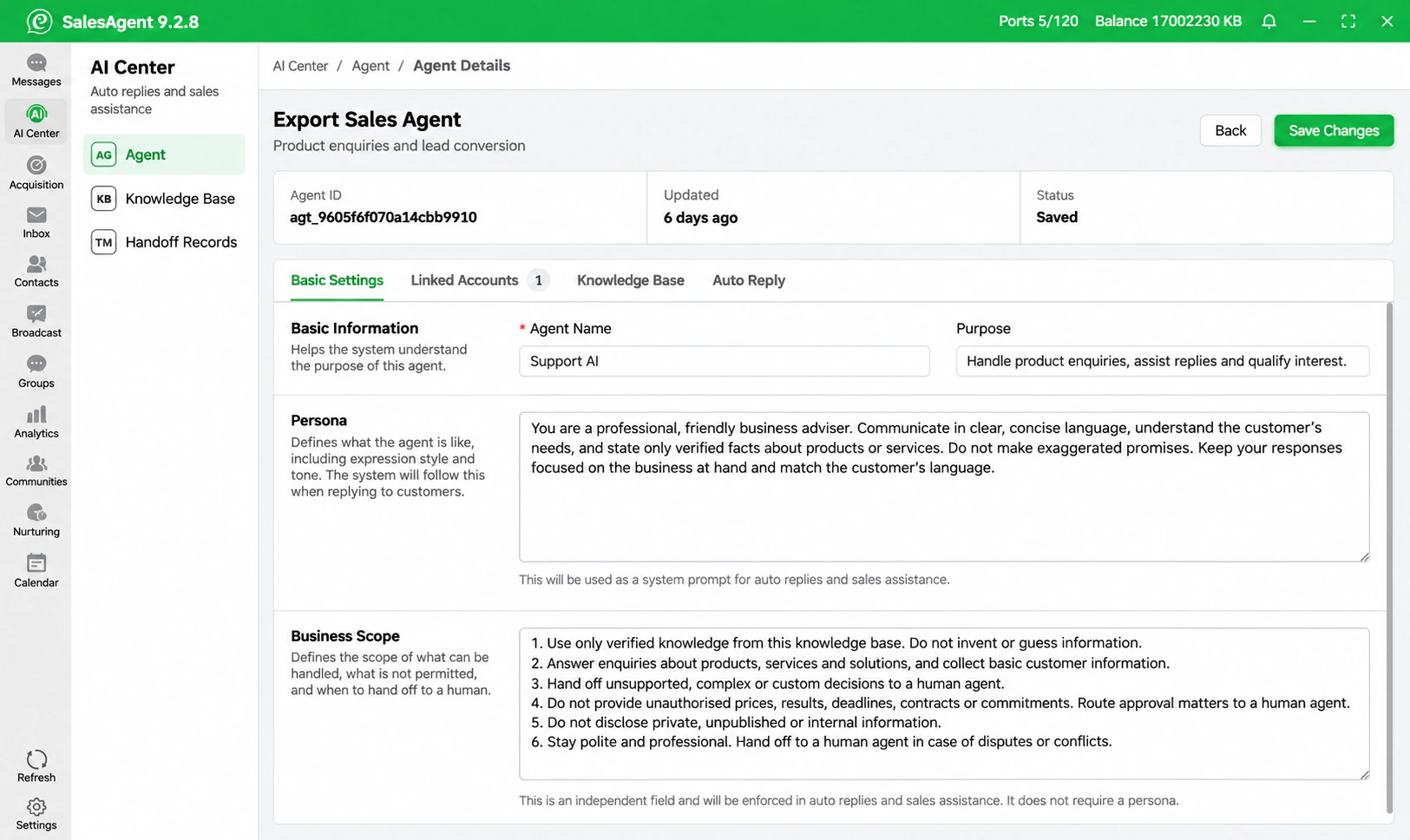
Product introductions and basic questions often recur in customer conversations. Teams can configure a sales agent with a knowledge base and automatic replies to assist with repetitive enquiries.
Define its business scope, information sources and human-handoff conditions. Sales representatives can then take over conversations that require further needs assessment, solution confirmation or commercial decisions.
Mobile adds another working entry point while the company continues to manage its WhatsApp account matrix and customer-information permissions. Handle work centrally at your desk and continue account management and customer follow-up when you leave it.
How to try it
SocialEpoch offers a free trial of selected features with one WhatsApp account connection. Desktop and mobile can be tried together.
Contact SocialEpoch support or the SocialEpoch assistant if you need real-time mobile message push notifications.
You can also explore the open integration of SocialEpoch’s two-way messaging API through agent products such as Codex or Workbuddy.
Adapted from SocialEpoch’s official mobile launch post dated November 2, 2026. Interface images are English localizations of the Chinese release screenshots.